
Image to Text App
Image to text app is an app that extracts text from images. It can be useful when you can’t copy text directly and only have an image file at hand.
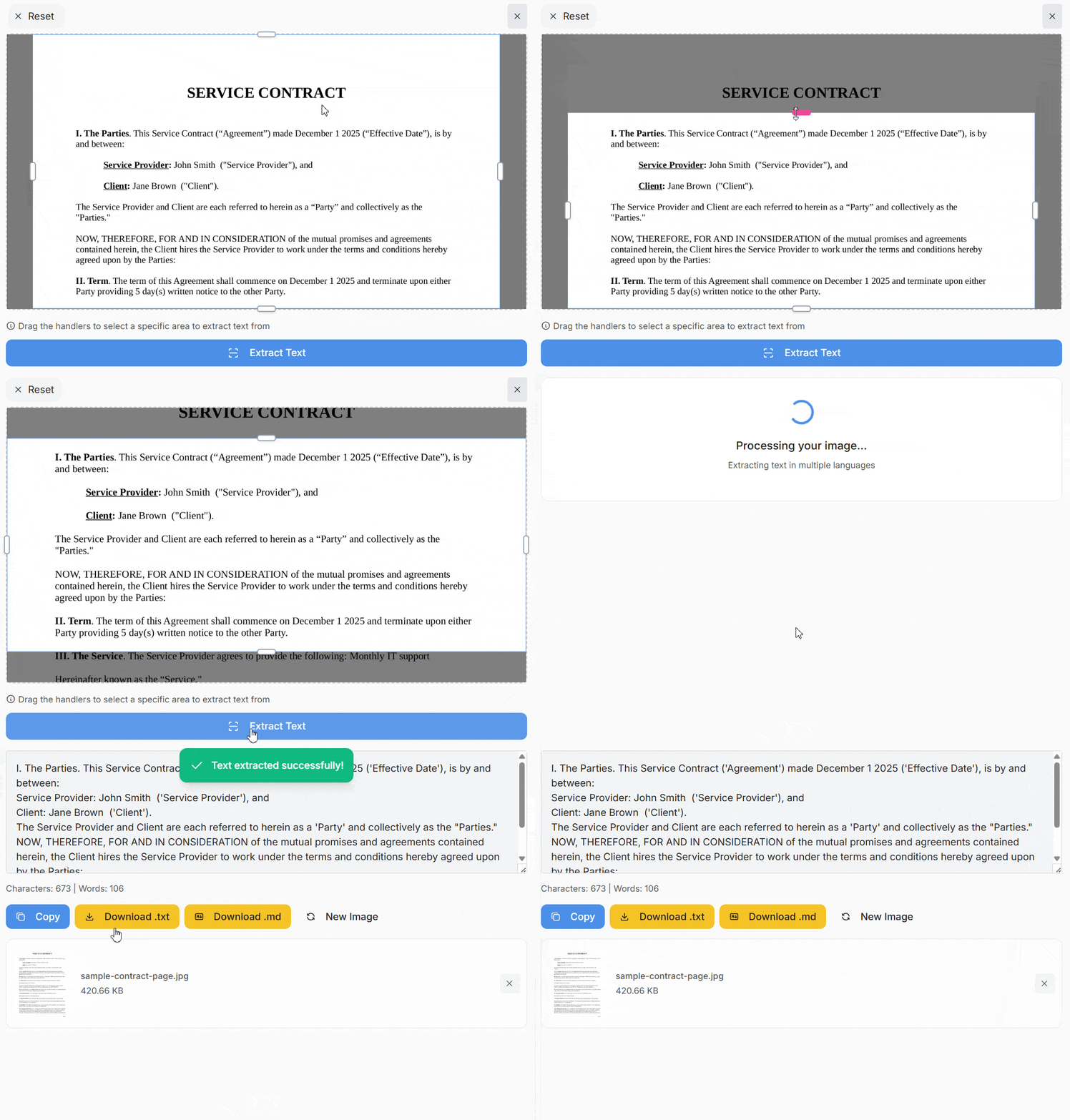
The app can extract text from different files:
- a scanned document
- a photo of a computer screen
- a screenshot taken on a computer or phone
- a screenshot of a PDF file where text can’t be copied using standard methods
- a handwritten shopping list photographed with a phone camera
Of course, you can type the text manually while looking at the image, but the point of our app is to save time.
Extracting printed text
Copying text from scanned documents:
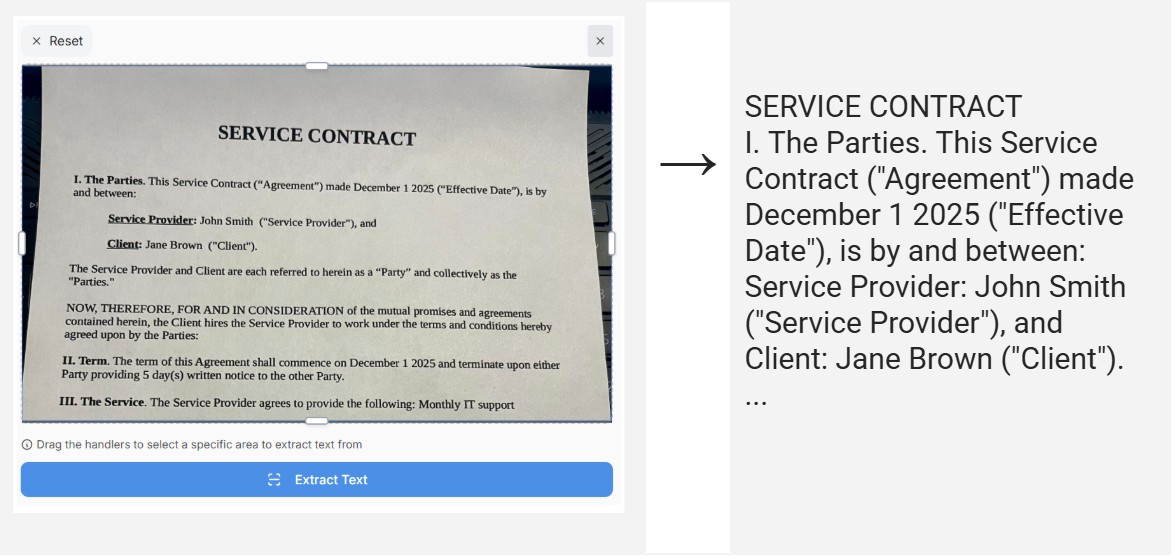
Before: you had to retype text from a scanned document
Now:
- upload the scanned image to the website
- get the ready text in a few seconds
- copy the text into an editor
Copying text from banners, illustrations, and other images:
Before: you had to type the text manually
Now:
Another example: you are working on an advertising banner, deadlines are tight, and you are browsing images for inspiration. You find a few good examples, and instead of retyping the text you like, you take a screenshot of the selected text area on the screen, paste the image from the clipboard into our app, and get the text.
ℹ️ Note: to copy an arbitrary area of the screen to the clipboard, use Control + Shift + Command + 4 on Mac or Win + Shift + S on Windows.
Example of selecting an area on Windows using Win + Shift + S

Extracting handwritten text
Our app works well with handwritten text. Here are some real-life examples where this can be useful.
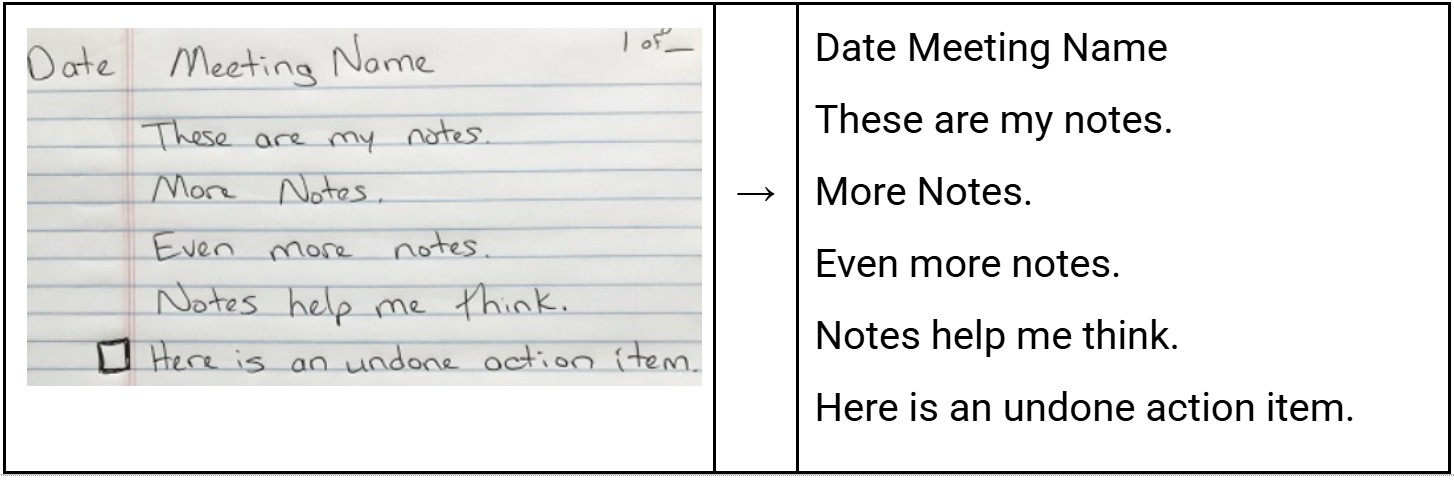
Converting handwritten notes into digital form.
This could be notes from an online meeting or a phone call:
Editing a long shopping list.
For example, there is a photo of a sheet with a list, but you need to add items and send it to a friend or your wife. In this case:
- Extract the text from the photo using the app
- Save it to a note on your phone or to a table on your computer for editing.
What are the advantages of our app?
Simplicity
The app has only one main function, and we focused on doing it well. All you need to do is upload an image with text.
- On a computer: you can choose a file or press Ctrl + V (Windows) or Command + V (Mac) to paste an image from the clipboard.
- On a phone: you can choose a file or use the camera to capture an image.
Multilingual support
You can extract text in more than 100 languages, and the app will automatically detect which language to use.
Versatility
You can extract text from many different types of images:
- Printed text
- Handwritten text
- Colored text or text placed on a colored background
Price
You can use the app for free.
Additional features
The following features are planned for the future:
- Improved recognition of tables and complex structures
- Improved text extraction for images with complex layouts
- Preserving formatting
- Summarizing extracted text: useful for studying notes, scanned contracts, and articles
- Translating text into another language: useful for travel or study
- Conversion to other formats: PDF, JSON, Markdown
To always have the app at hand, don’t forget to bookmark the website or add a shortcut to the site on your phone’s home screen.